SQL Nexus Install
SQL Nexus is a powerful tool for analyzing SQL Server trace files generated by PSSDiag. However, the install process takes a bit of work. Follow along to get SQL Nexus working on your local machine.

SQL Saturday 309 Slides are up
Rudy Rodarte's slides and code from SQL Saturday 309 are up. Download the new hotness.
Find and count words in a string via SQL.
For all the power of SQL Server, some things a still missing. In Microsoft Word or Notepad++, when you search for a word in a document, you get the count of appearances, too. But in SQL, you can search for a string in a VARCHAR field, but the result only appears once. What I really...
Remote Desktop won’t go back to Full Screen Part 2
Learn how to use AutoHotKey to resize your remote desktop sessions back to full screen after minimization in Windows. Never deal with scroll bars in RDP again!

SQL Saturday 97 Slides and Code – EXCEPT, INTERSECT, APPLY
Download my slides and source code from my SQL Saturday 97 presentation.
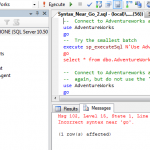
Incorrect Syntax Near go revisited
Incorrect Syntax near go. We've all gotten this error before, but why does this happen? Watch a video explaining why you cannot use GO inside of sp_executesql
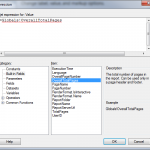
Display a Page Count in SSRS
Learn how to add a date printed and a page count in the footer of your SSRS report. Even if you have errors with Globals!OverallTotalPages.
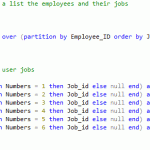
Display results Horizontally in SQL Server
Learn how to use SQL Server's CTEs to display results in a horizontal format instead of the standard vertical format.
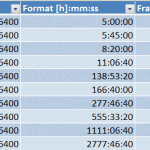
Working with Seconds in Excel
I recently had to use back end data from SQL Server to deliver several reports in excel. All of my SQL code gave me results in seconds; however, the users had distinct formatting requests. I would have to use a few excel tricks to get things just right in each report.
Using datediff to display results as HH:MM:SS
DateDiff is a great tool in SQL Server. But you have to extend DateDiff a bit to get things in a nicer format, such as HH:MM:SS. See what Rudy found on SQLServerCentral.com which saved the afternoon!