Importing Data into SQL Server – Using Excel Shortcuts
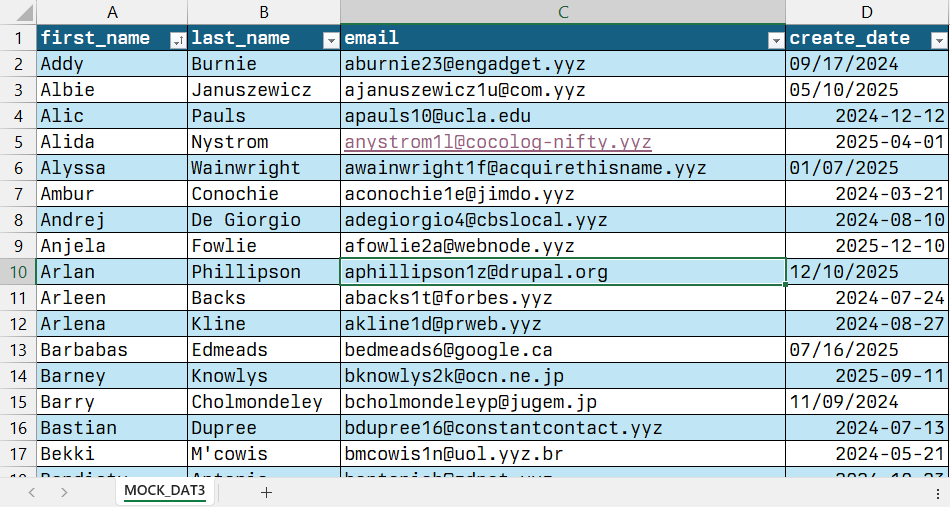
I’ll be the first to say, the switch from DTS to SSIS was painful. DTS would go through a lot of implicit conversions so you didn’t have to worry or think about them. But SSIS was not as merciful. From different fields lengths to different encodings, SSIS wants you to be specific. Sometimes, it is...
Importing Data into SQL Server – Using the INSERT statement
Sometimes, the easiest and quickest way to get data into SQL Server is to simply use an INSERT statement. Here is what the INSERT statement looks like in Books Online(BOL) [ WITH <common_table_expression> [ ,...n ] ] INSERT [ TOP ( expression ) [ PERCENT ] ] [ INTO ] { <object> | rowset_function_limited [ WITH (...
Importing Data into SQL Server – Using the Import Export Wizard
Today begins the series on importing data into SQL Server 2005/2008 using the various built in tools. With SQL Server, there are several ways of getting your data from one place to another. Today, we will focus on using the wizard from SQL Server Management Studio. Before we begin, I am using a simple database...
Storing Computed Columns in SQL Server
From time to time you will run into a case where you need to store computed columns in your SQL Server tables. Examples of computed columns include taxes on a sale or business days between several dates. Setting up computed columns in SQL Server 2008 is fairly simple. You simply give the column a name...
View All Permissions for Objects in SQL Server 2008
There are times when you need to audit user permissions to ensure that things aren’t getting inserted, over-written, or deleted. I looked around and found this script which uses several sys objects, which gives us most of the information we need. select dp.NAME AS principal_name ,dp.type_desc AS principal_type_desc ,o.NAME AS object_name ,o.type_desc as Object_type ,p.permission_name...

Overwrite files in a DTS using ActiveX
Several of my DTS jobs require processing a file and then archiving the file. As we all know, you can use ActiveX to Copy or Move a file. Problem is, sometimes we need to reprocess or reuse a file name. When the archive ActiveX step executes, the step will fail if the file already exists...
Using ActiveX to set query dynamically in SQL Server
Learn how to use ActiveX to dynamically change a query.
Common Table Expressions (CTE) in SQL Server 2005 and Up
Thanks to the team at TechRepublic.com and BOL, I have used CTEs to delete duplicates with ease in SQL Server 2005 and higher. Learn more about CTEs at TechRepublic. Here meat of the article a sample: ;WITH SalesCTE(Product, SaleDate, SalePrice, Ranking) AS (SELECT Product , SaleDate , SalePrice , Ranking = DENSE_RANK() OVER(PARTITION BY Product,...
Using ActiveX to check the age of a file in SQL Server
Now, you can use ActiveX to check the age of a file before proceeding. The code assumes that you have already assigned the file location elsewhere in the DTS Package
Using ActiveX to Dynamically set a Variable in an SQL Server DTS Package
From time to time, you will need to dynamically set a variable in the middle of your DTS packages. The following code shows you how easy it is to build a variable dynamically. The variable will be filename which contains the current timestamp. Here is the code: '************************* ' Sets the file name to the...
Using NOCOUNT, ANSI Warnings and Temp Tables in SQL Server
Here are a few useful code fragments that I use all the time. You see too many Rows Affected Messages. First, NOCOUNT. If you don’t want SQL Server to return the Row Count (20 row(s) affected) after you execute a query, here is the code: — Turn off the rows affected message SET NOCOUNT ON...